Picks up when you can't, checks your calendar, and books it.
An AI receptionist for any business that books appointments. Forward only the calls you miss, or add a local number that takes every call, day and night. Either way, every booking goes straight into the calendar you already use. No monthly fee. 30¢ a minute, only while your receptionist is talking to a customer.
- Salons
- Barbers
- Med spas
- Massage studios
- Yoga and pilates
- Consultants
- Accountants
- Law offices
- Tutors
- Groomers
- Photographers
- and any business that books appointments
About ten minutes, on your phone. No sales call.
- Works with Acuity Scheduling, also known as Squarespace Scheduling. More schedulers on the way.
- Keep your number and forward only the calls you miss — or add a local number that takes every call.
- $10 to start. That's credit, not a fee.
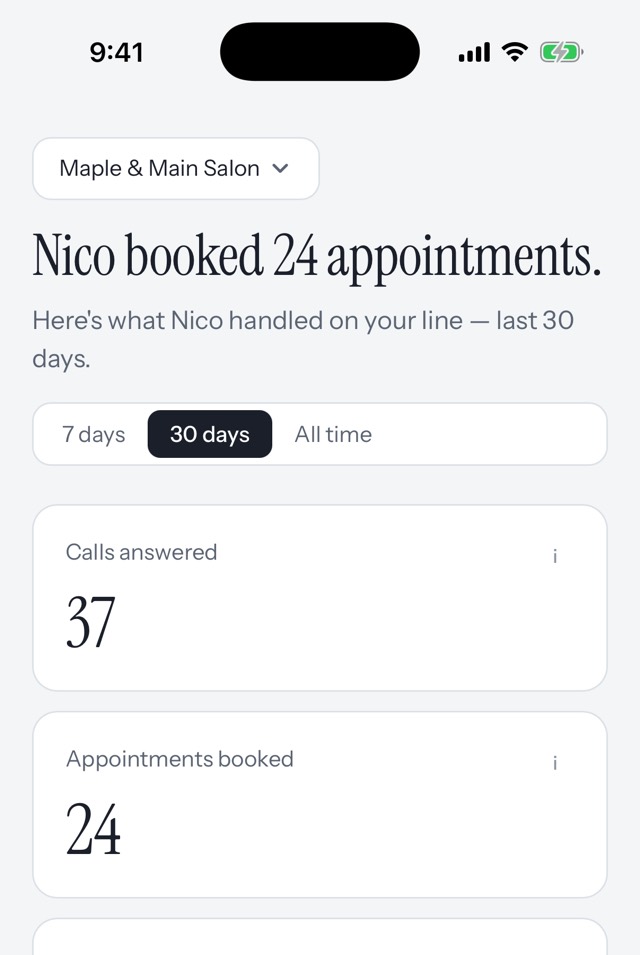
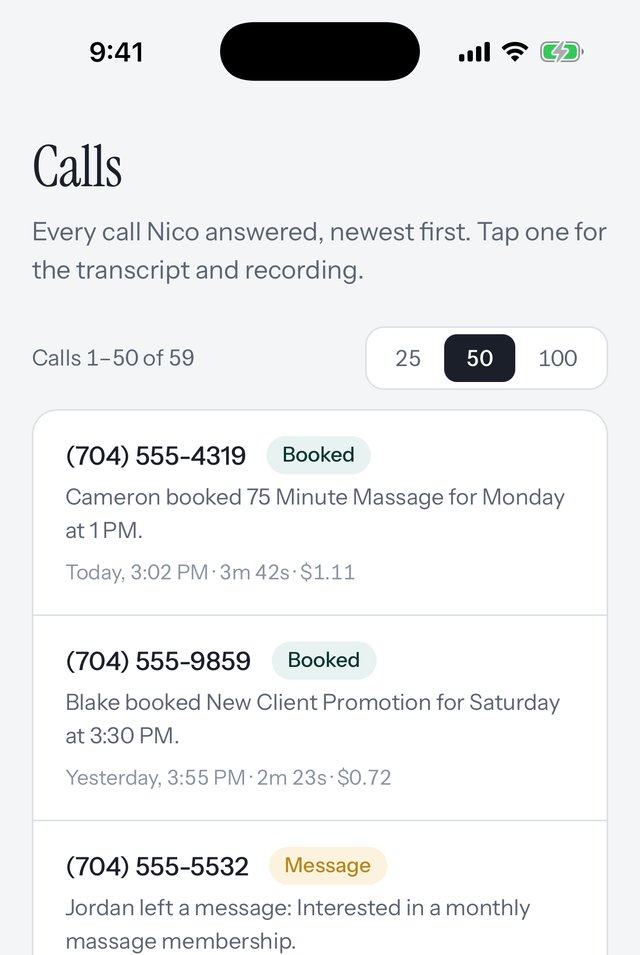
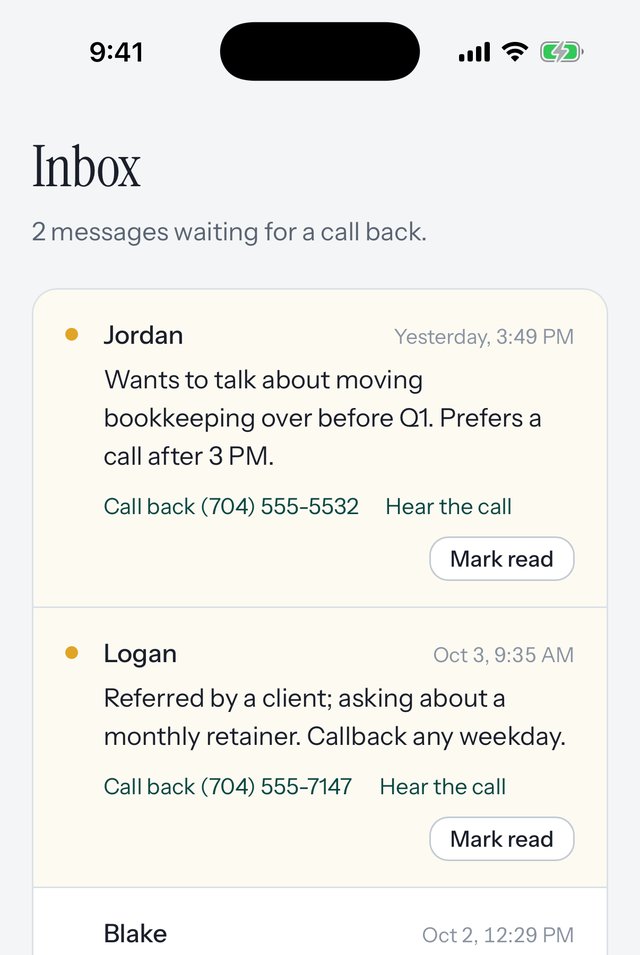
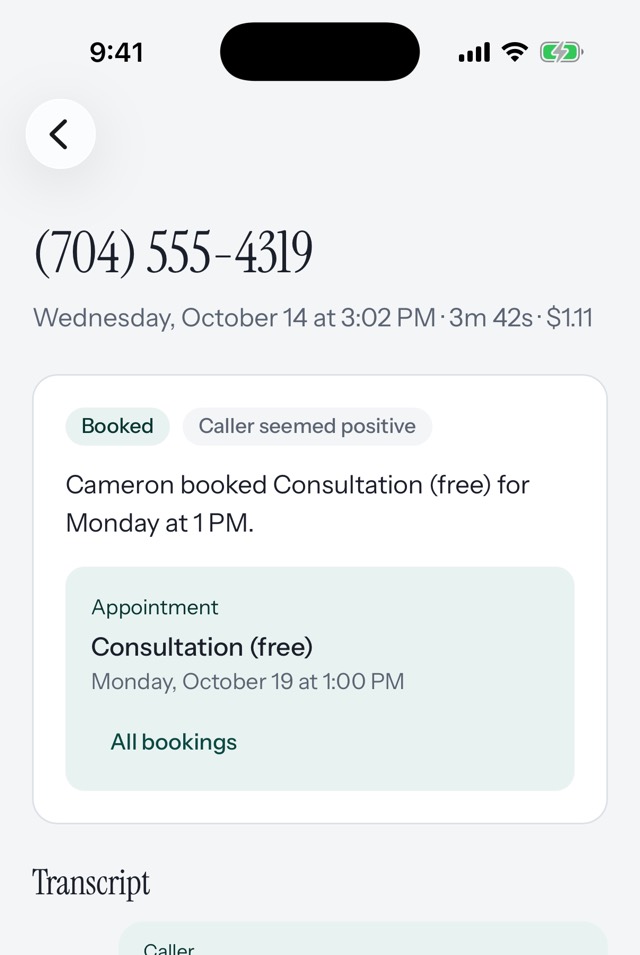
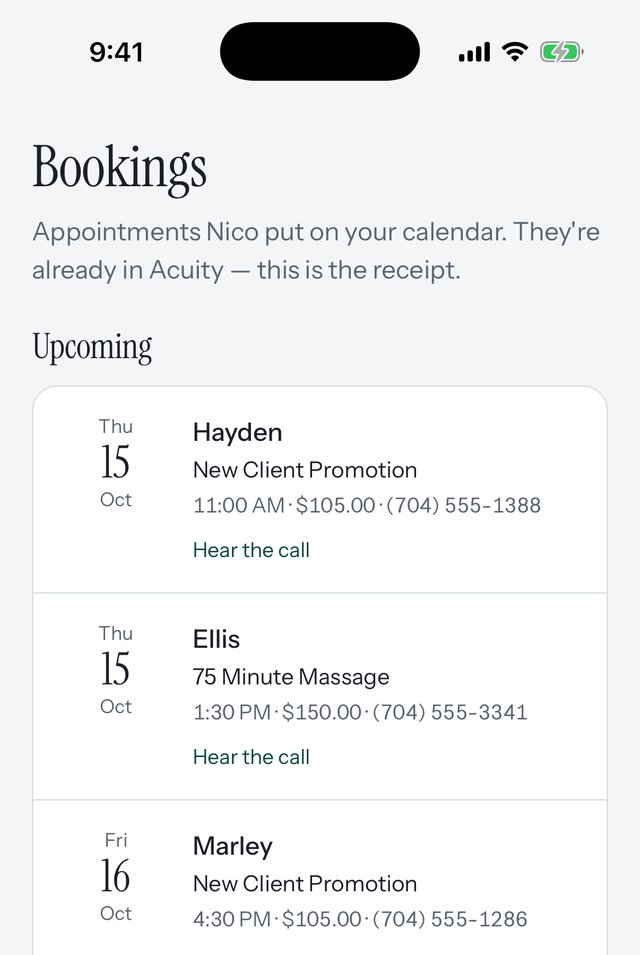
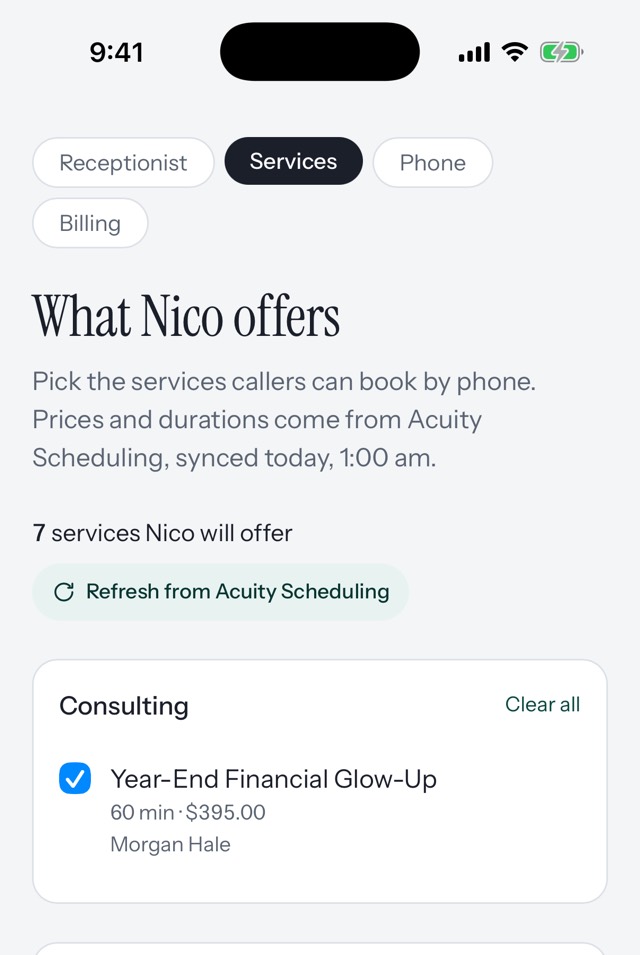
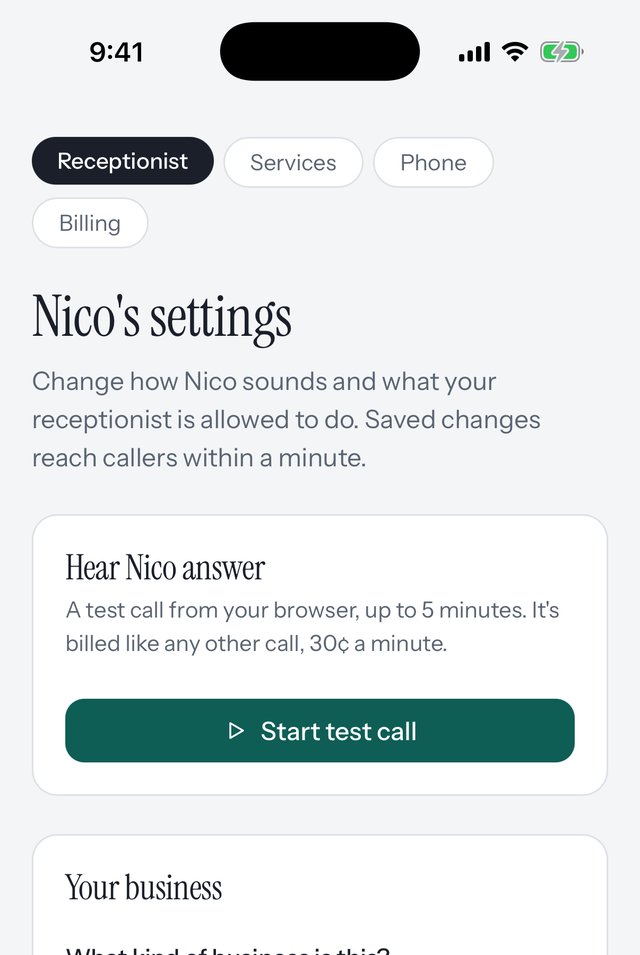
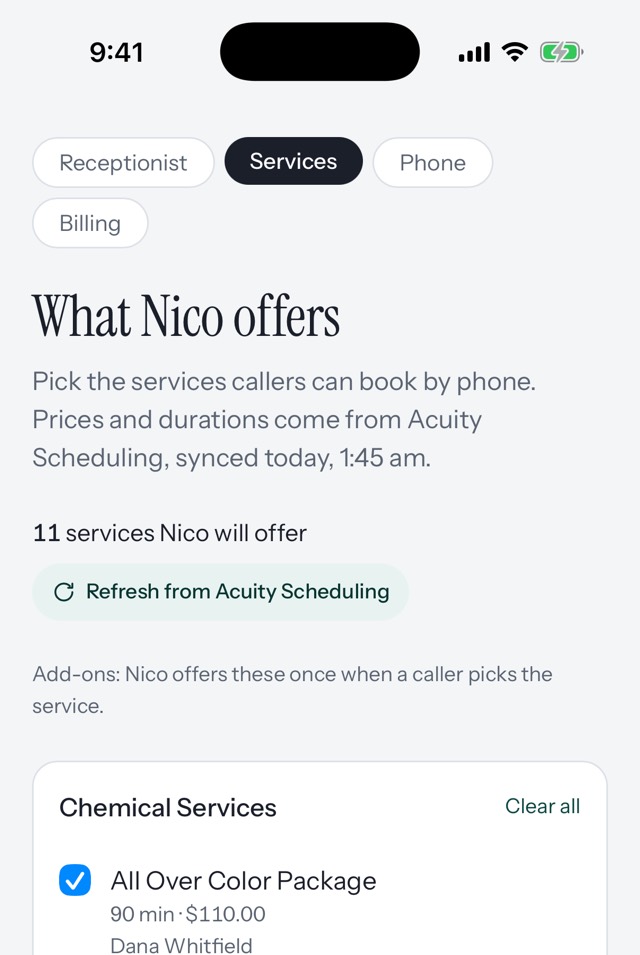
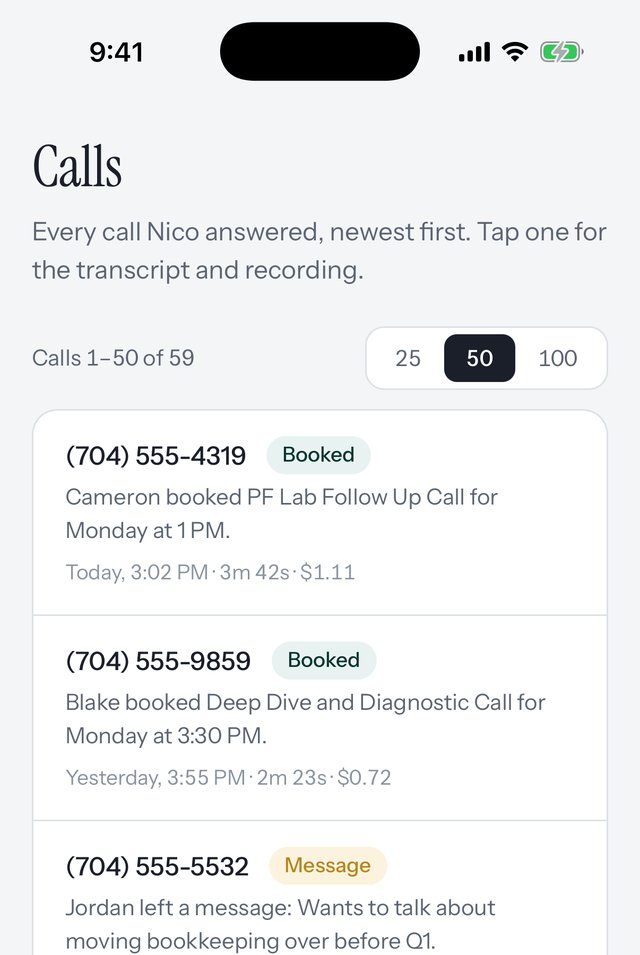
See the whole thing in three minutes.
The app, the calls your receptionist takes, and how you set it all up. Sound on.
Any business that books appointments.
Pick your kind of business when you set up, and the receptionist talks like part of the team: the right word for the place, nothing promised that shouldn't be, and a message taken when a question is one for you.
-
Beauty
Hair, barber, nails, lashes, spa
-
Wellness & fitness
Massage, yoga, pilates, training
-
Consulting & professional services
Consultants, coaches, accountants
-
Legal
Law firms, attorneys, notaries
-
Education & tutoring
Tutors, lessons, test prep
-
Pet care
Groomers, trainers, sitters
-
Photography & creative
Photographers, studios
-
Something else
Any business that books appointments
Medical and dental practices aren't supported yet.
Live in one sitting.
1
Connect your calendar.
Sign in to Acuity or Squarespace Scheduling, pick the services your receptionist may offer. Your real openings, your real prices, nothing else.
2
Hear your receptionist first.
Set up from your services in seconds. Call from your browser before you pay anything.
3
Choose how calls come in.
One carrier code sends the calls you miss from your existing number — or get a new local number for $3 a month that takes every call.
The next morning: “Ava booked 3 appointments last night.”
Two ways to put your receptionist on the phone.
Pick one when you set up.
Forward the calls you miss.
FreeKeep the number your clients know. One carrier code sends the calls you don't answer — busy, no answer, after hours — to your receptionist. Pick up as usual and the receptionist stays out of it.
Best when clients already call a business line you control.
A number just for your receptionist.
$3 a monthA new local number that goes straight to your receptionist, on every call, day and night. Put it on your door, your site, your Google listing. Turn on transfers and a caller who insists on a person gets handed to your cell.
Best when your cell is also your personal phone, or you're just opening.
Your calendar stays yours.
Your receptionist will
- Answer in your business's name — the calls you miss, or every call. Your choice.
- Offer only the services you picked, at your prices.
- Book, reschedule and cancel on your real availability.
- Offer your add-ons when they fit — a gloss with the color, hot stones with the massage — and book the whole thing at the right length and price.
- Take a message when it's not a booking, with the caller's name and number, and put it in your inbox.
- Tell every caller the call is with an AI assistant and may be recorded.
Your receptionist won't
- Double-book you, or book a service you didn't enable.
- Say an appointment is booked unless your calendar confirmed it.
- Charge your card without telling you first.
- Push. Add-ons are offered once, and no is taken for an answer.
No subscription. No contract.
Pay only when your receptionist actually talks to someone.
30¢
a minute, billed by the second
- Monthly fee$0
-
To start$10 of credit
Credit, not a fee — every cent goes toward calls. We top up $10 when it runs low, from the card you saved, and tell you each time.
-
Premium voices35¢ a minute
Optional. Four extra voices that cost more to run. The four standard voices stay 30¢.
- Forward your existing numberFree
- A new local number$3 a month
A booked $80 appointment usually costs under a dollar in receptionist time.
How we compare.
Most AI receptionists are sold like phone plans. This one is sold like a receptionist: you pay for the minutes your receptionist works.
| Feature | Got the Phone | Typical AI receptionists |
|---|---|---|
| Monthly fee | $0 | A plan, usually $50 to $300 a month, with a cap on calls or minutes |
| How you pay | 30¢ a minute, by the second, from credit you top up | Per call, or a bundle of minutes that expires each month |
| Booking | Checks your real openings. Books, reschedules and cancels in your calendar | Texts a booking link, or books only on a higher tier |
| Add-ons | Offers yours once when they fit, and books the total | Usually just the base service |
| Setup | Yourself, about ten minutes, on your phone | A sales call, a demo, or a setup team |
| Contract | None. Stop whenever you like | Annual plans, or a contract that runs months |
| Transfers to you | Off until you turn them on | On by default, sometimes billed on top |
“Typical” is the public plan pages of ten AI phone receptionists, read in September 2026. Plans change — check theirs.
Built for the calendar you already use.
Acuity Scheduling today — the same calendar Squarespace sells as Squarespace Scheduling. Change schedulers later and keep the same receptionist.
Coming next: SimplyBook.me, Cal.com, Square Appointments.
Questions owners ask.
Do my clients know they're talking to an AI?
Yes, every time. Your receptionist opens with “Just so you know, I'm an AI assistant and this call may be recorded.” Your clients hear it in the greeting, before they're asked anything.
Does the receptionist answer every call?
Only if you want. Forward your existing number and your receptionist takes just the calls you'd miss — busy, no answer, after hours — with one code we give you; pick up as usual and the receptionist never comes on. Add a number just for the receptionist and every call to it gets answered.
What happens when the receptionist can't help?
Your receptionist takes a message with the caller's name and number and puts it in your inbox — or, if you've turned it on, transfers the call to you. Nothing gets booked that your calendar didn't confirm.
Will the receptionist sell my add-ons?
If a service has add-ons in your calendar, your receptionist offers them once, when the caller picks the service — a deep-conditioning treatment with the cut, hot stones with the massage — says what it costs and how long it adds, and books the whole thing at the right length and price. Nothing gets added that the caller didn't say yes to.
What does it cost if nobody calls?
Nothing. Your $10 of credit stays put until your receptionist is on a call. A number just for the receptionist is the only thing that costs money while idle, $3 a month.
Can I change what the receptionist offers?
Any time. Add or remove services in Settings and your receptionist updates within a minute. Nothing gets offered that you haven't picked.
What's a premium voice?
Four of the eight voices you can pick for your receptionist cost more to run. Pick one and calls are 35¢ a minute instead of 30¢. Switch back any time — each call is billed at the rate of the voice in use when it starts.
Can I hear what the receptionist said?
Every call has a transcript and a recording in your dashboard, with what got booked and why.
The next missed call could be a booking.
Ten minutes, on your phone. Hear your receptionist before you pay.